
Mobi Dual Scan Thermometer: A Comprehensive Guide
Welcome! This guide provides essential instructions for optimal use of your Mobi Dual Scan Thermometer.
Ensure accurate readings and safe operation by carefully reviewing all sections before first use.
The Mobi Dual Scan Thermometer is a cutting-edge medical device designed for quick, accurate, and hygienic temperature measurement. This versatile thermometer isn’t limited to just human body temperature; it also efficiently measures the temperature of surfaces and objects, making it a valuable tool for various settings – from homes and schools to offices and healthcare facilities.
Unlike traditional thermometers requiring physical contact, the Mobi Dual Scan utilizes non-contact infrared technology, minimizing the risk of cross-contamination and providing a comfortable experience, especially for children. Its dual-sensor functionality allows seamless switching between forehead scanning for body temperature and object mode for assessing the temperature of items like baby bottles, food, or room surfaces.
This guide will walk you through every aspect of using your Mobi Dual Scan Thermometer, from initial setup and proper technique to interpreting results and maintaining the device. We aim to empower you with the knowledge to confidently and effectively utilize this tool for health monitoring and safety checks. Prioritize reading these instructions carefully!
What is a Dual Scan Thermometer & Why Use One?
A Dual Scan Thermometer, like the Mobi model, distinguishes itself by offering two distinct measurement modes: one for body temperature (typically forehead scanning) and another for inanimate objects. This versatility sets it apart from single-purpose thermometers, providing a broader range of applications within a single device.
Why choose a dual scan thermometer? The convenience is paramount. Quickly check a child’s forehead for fever, then immediately assess the temperature of their bathwater – all with one instrument. This eliminates the need for multiple thermometers and reduces potential hygiene concerns. The non-contact nature minimizes cross-contamination risks, crucial in environments with multiple users.
Furthermore, the Mobi Dual Scan’s object mode is invaluable for ensuring safe food temperatures, verifying room conditions, or identifying potential equipment malfunctions. Following these instructions will unlock the full potential of this adaptable tool, offering peace of mind and enhanced safety for you and your family. It’s a smart investment in proactive health management.

Understanding the Features
Explore the Mobi Dual Scan Thermometer’s key components! Familiarize yourself with the infrared sensor, LCD display, mode button, and trigger – essential for accurate instructions.
Non-Contact Infrared Technology Explained
How it Works: The Mobi Dual Scan Thermometer utilizes advanced non-contact infrared (IR) technology to measure temperature from a distance. Unlike traditional thermometers requiring physical contact, this method detects the infrared energy emitted by the body or object. All objects emit infrared energy, and the amount varies with temperature.
The Sensor’s Role: A highly sensitive infrared sensor within the thermometer captures this emitted energy. Sophisticated algorithms then convert this energy into a temperature reading displayed on the LCD screen. This process is incredibly fast, providing results in just one second.
Benefits of Non-Contact: This technology offers several advantages. It’s hygienic, minimizing the risk of cross-contamination, especially crucial during illness. It’s also convenient and comfortable, particularly for measuring a child’s temperature while they sleep. Following instructions carefully ensures optimal performance. Environmental factors, like ambient temperature, can influence readings, so understanding these nuances is key to accurate measurements. Proper technique, as detailed in this guide, is vital.
Dual Sensor Functionality: Forehead & Object Mode
Versatile Measurement: Your Mobi Dual Scan Thermometer boasts dual sensor functionality, allowing temperature measurement in two distinct modes: Forehead and Object. Switching between modes is simple, using the dedicated mode button – refer to the instructions for button location.
Forehead Mode: Designed for human temperature readings, this mode focuses on accurately measuring arterial temperature at the forehead. Maintain a consistent distance (as outlined later) for reliable results. This is ideal for quick screening and monitoring.
Object Mode: This mode is perfect for measuring the temperature of surfaces and liquids. It’s useful for checking baby bottle temperature, bathwater, or room temperature. Remember to adjust the emissivity setting (if applicable – see full manual) for different materials to enhance accuracy. Always follow safety guidelines when measuring liquids. Understanding these modes and their specific applications ensures you get the most out of your thermometer. Proper use, following these instructions, is paramount.
LCD Display & Backlight – What the Readings Mean
Decoding the Display: The Mobi Dual Scan Thermometer features a clear LCD display providing essential information. The large digital readout shows the measured temperature in your selected unit (°C or °F). The display also incorporates indicators for low battery, measurement mode (forehead or object), and scan completion.
Backlight Functionality: A convenient backlight automatically activates in low-light conditions, ensuring visibility. This feature is particularly useful for nighttime readings or dimly lit environments. The backlight enhances readability without compromising battery life. Refer to the instructions for manually activating the backlight if needed.
Understanding Symbols: Pay attention to the symbols displayed. A “body” icon indicates forehead mode, while a “surface” icon signifies object mode. Error codes, if present, will also appear on the screen – consult the troubleshooting section for their meaning. Accurate interpretation of these indicators, as detailed in these instructions, is crucial for correct usage and reliable temperature assessment.

Setting Up & Using Your Thermometer
Begin by following these instructions to prepare your Mobi Dual Scan Thermometer for accurate temperature measurements. Proper setup ensures reliable and consistent results every time.
Installing Batteries & Initial Setup

Battery Installation: Gently slide off the battery cover, typically located on the back or side of the thermometer. Insert the required batteries (usually AAA or AA – check your model’s specifications) ensuring correct polarity, as indicated by the + and – symbols inside the battery compartment. Replace the battery cover securely.
Initial Setup & Self-Check: Once batteries are installed, the thermometer will usually perform a self-check. The LCD display will briefly illuminate, showing all segments and numbers. This confirms the device is functioning correctly. If the display doesn’t light up, double-check the battery installation.
Setting the Date/Time (if applicable): Some models allow you to set the date and time. Refer to your specific model’s detailed manual for instructions on how to access and adjust these settings. This feature is useful for tracking temperature readings over time. Ensure accurate date and time settings for proper record-keeping.
Fahrenheit/Celsius Selection: Most Mobi Dual Scan Thermometers allow you to choose between Fahrenheit (°F) and Celsius (°C). Locate the unit selection button (often a small button on the side or back) and press it to toggle between the two scales. Select your preferred unit before taking any measurements.
Taking a Forehead Temperature Reading – Step-by-Step
Preparation: Ensure the forehead is clean and dry, free from sweat, makeup, or hair. Avoid taking a reading immediately after exercise or bathing. If necessary, gently wipe the forehead with a clean, dry cloth.
Positioning: Hold the thermometer approximately 1-3 centimeters (0.4-1.2 inches) away from the center of the forehead. Aim for the space between the eyebrows and the hairline. Do not touch the skin with the thermometer.
Activation & Measurement: Press the scan button. A laser (on some models) will briefly illuminate, indicating the measurement area. Hold the scan button until you hear a beep or the display stabilizes – this usually takes less than one second.
Reading the Result: The temperature reading will appear on the LCD display. Note the temperature and any associated indicators (e.g., fever symbols). For accurate results, avoid taking multiple readings in quick succession. Allow the thermometer to cool down between measurements. Ensure consistent positioning for reliable readings.
Measuring Object Temperature – Surfaces & Liquids
Switching to Object Mode: Press the mode button on the thermometer to switch from forehead to object temperature measurement. The display will indicate object mode, often with a different icon.
Distance & Positioning: For surfaces, hold the thermometer 3-5 centimeters (1.2-2 inches) away from the object. For liquids, aim the thermometer at the surface of the liquid, maintaining the same distance. Avoid measuring through glass containers if possible, as this can affect accuracy.
Taking the Measurement: Press and hold the scan button. The laser (if equipped) will indicate the measurement spot. Hold until a beep sounds or the reading stabilizes. Note that shiny or reflective surfaces may yield inaccurate results.
Interpreting Results: The temperature of the object will be displayed. Remember that different materials have different emissivity, which can influence readings. This mode is ideal for baby bottles, food, or room temperature checks. Always exercise caution when measuring hot surfaces.
Interpreting Results & Troubleshooting
Understanding your thermometer’s readings is crucial. This section details normal ranges, troubleshooting common issues, and guidance on when to consult a medical professional.
Understanding Normal Temperature Ranges (Adults & Children)
Normal body temperature can vary slightly depending on factors like age, activity level, and time of day. Generally, an average normal temperature for adults, measured with the Mobi Dual Scan Thermometer, falls between 97.6°F (36.4°C) and 99.6°F (37.6°C). It’s often lower in the morning and higher in the evening.
For children, normal temperature ranges are similar, but can be slightly higher than adults. A typical range is 98.6°F (37°C) to 100.4°F (38°C). It’s important to remember that temperature readings can fluctuate. A single reading shouldn’t be the sole basis for concern.
Consider the method of measurement. Forehead temperatures, as taken with this thermometer, are generally slightly lower than oral temperatures. Always note the context of the reading. Consistent monitoring is key to identifying trends and potential fever development. Remember to account for environmental factors, like being outdoors in hot weather, which can temporarily elevate temperature.
Consult your pediatrician for specific guidance on what constitutes a fever for your child, as normal ranges can vary by age and individual health conditions.
Fever Indicators & When to Seek Medical Attention
A temperature reading of 100.4°F (38°C) or higher generally indicates a fever. The Mobi Dual Scan Thermometer may display a color-coded indicator (e.g., red, yellow, green) to quickly signal fever status. However, always confirm with the numerical reading.
For adults, seek medical attention if a fever is accompanied by severe symptoms like stiff neck, severe headache, confusion, difficulty breathing, persistent vomiting, or chest pain. A fever lasting more than a few days also warrants a doctor’s visit.
For children, immediate medical attention is crucial for infants under 3 months with any fever (100.4°F/38°C or higher). For older children, seek care if the fever is high (over 103°F/39.4°C), accompanied by lethargy, dehydration, rash, seizures, or difficulty breathing.
Trust your instincts. If you are concerned about a fever, regardless of the reading, it’s always best to consult a healthcare professional. Do not self-treat a fever without proper medical advice, especially in vulnerable populations.
Troubleshooting Common Issues: Inaccurate Readings & Error Codes
Inconsistent readings can occur due to improper technique – ensure correct distance and aiming. Skin temperature variations (sweat, lotion) also affect accuracy; dry the forehead before measuring. Avoid direct sunlight or drafts during use.
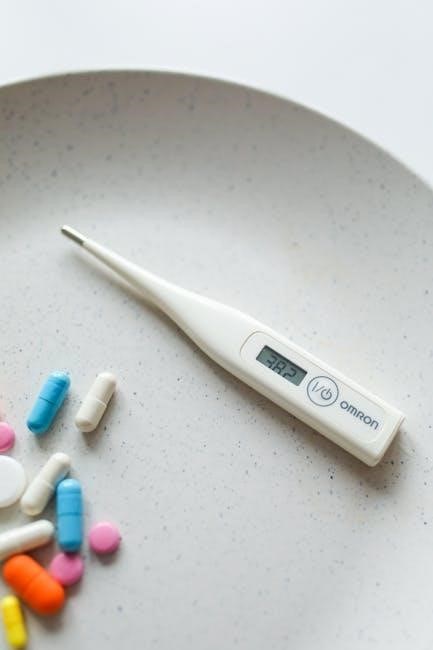
Error codes indicate specific problems. “Lo” signifies low battery; replace immediately; “Hi” suggests the temperature exceeds the thermometer’s range. “Err” indicates a general malfunction; try restarting the device.
If readings seem consistently off, recalibrate the thermometer (refer to the full manual for instructions). Ensure the lens is clean and undamaged. Avoid using the thermometer in extremely humid environments.
Interference from strong electromagnetic fields can sometimes cause errors. Move away from such sources. If problems persist after trying these steps, contact customer support with the error code displayed. Do not attempt to repair the device yourself, as this will void the warranty.
Maintenance & Safety
Regular cleaning and proper storage are vital for longevity. Always prioritize safety when handling the thermometer and batteries; keep out of reach of children.
Cleaning & Disinfecting Your Mobi Dual Scan Thermometer
Maintaining hygiene is crucial when using a thermometer, especially for multiple users. After each use, gently wipe the thermometer’s sensor with a soft cloth lightly dampened with 70% isopropyl alcohol.
Avoid using harsh chemicals, abrasive cleaners, or submerging the device in liquid, as this can damage the sensitive components. Ensure the alcohol has completely evaporated before storing or using the thermometer again.
For the thermometer’s body, use a slightly damp cloth to wipe away any dirt or residue. Do not spray any liquid directly onto the device. Pay particular attention to cleaning the areas that come into contact with the forehead or objects being measured.
Regular disinfection helps prevent the spread of germs and ensures accurate readings. Always inspect the device for any signs of damage before and after cleaning. If damage is detected, discontinue use and refer to the troubleshooting section or contact customer support.
Proper cleaning extends the life of your Mobi Dual Scan Thermometer and contributes to reliable performance.
Proper Storage & Battery Replacement
Store your Mobi Dual Scan Thermometer in a cool, dry place, away from direct sunlight and extreme temperatures. Ideally, keep it in its original case to protect the sensor from dust and damage. Avoid storing it in humid environments like bathrooms.

Battery replacement is necessary when the LCD display shows a low battery indicator. Open the battery compartment, typically located on the back or side of the device. Remove the old batteries, ensuring correct polarity when inserting new ones.
Use only the specified type of batteries (usually AAA or AA – check your model’s specifications). Mixing old and new batteries, or different battery types, can cause malfunction or damage. Dispose of used batteries responsibly, following local regulations.
Always ensure the battery compartment is securely closed after replacement. Incorrectly closed compartments can lead to inaccurate readings or device failure. Regularly check battery levels, especially if the thermometer is used frequently.
Consistent storage and timely battery replacement contribute to the longevity and reliable operation of your thermometer.

Safety Precautions & Potential Risks
This thermometer is intended for household use only and is not a substitute for professional medical advice. Do not use it for diagnosis or treatment. Keep out of reach of children when not in use to avoid accidental ingestion of batteries or damage to the device.
Avoid using the thermometer in the presence of flammable materials or explosive atmospheres. Do not immerse the thermometer in water or any other liquid. The device is not waterproof.
Be cautious when measuring the temperature of objects, especially those that may be hot. Avoid directing the thermometer at the eyes or other sensitive body parts. Ensure the lens is clean and free from debris before each use.
Potential risks include inaccurate readings due to improper use, damage to the sensor from harsh chemicals, and skin irritation from prolonged contact with the sensor. If you experience any adverse effects, discontinue use and consult a healthcare professional.
Regularly inspect the thermometer for any signs of damage. Do not continue to use a damaged device.
Leave a Reply
You must be logged in to post a comment.